

Best Food Logging Apps 2026: 6 Food Trackers We Tested
We tested six food logging apps to compare free features, AI scans, nutrition tools, pricing, trials, and the promotional offers we actually received.
Shelog Editorial
Reviewed for clarity and care

Finding a food tracker is easy. Finding one that matches how you actually want to log food is harder. Some apps are built around detailed nutrition data. Others prioritize AI photo scanning, community, meal planning, or simply making food logging as fast as possible.
We tested six food logging apps - MyFitnessPal, MyNetDiary, FatSecret, Foodvisor, Cal AI, and Shelog - to compare onboarding, food logging, free and paid access, nutrition data, extra tools, and the subscription offers we actually encountered.
We also recorded what happened at the paywall. With several apps, declining the first offer led to a different promotional price, which is why this roundup separates standard prices from the special offers we received during testing.
The 6 Best Food Logging Apps at a Glance
| App | Best for | Main strength | Main drawback |
|---|---|---|---|
| MyFitnessPal | Comprehensive food tracking | Large database and broad feature set | Many convenient logging tools are paid |
| MyNetDiary | Free food and nutrition tracking | Detailed nutrition data with a generous free tier | Can feel overwhelming at first |
| FatSecret | Community | Useful free tracking plus an active community | Traditional, number-heavy interface |
| Foodvisor | Gamified food tracking | Guided experience with quests and rewards | Long onboarding and frequent free-version ads |
| Cal AI | Fast AI food logging | Simple, low-effort logging | Free version was barely usable after our trial |
| Shelog | Women | Visual, lifestyle-focused tracking experience | Relatively limited nutrition detail |
Table 1. Quick comparison of the six food logging apps based on our hands-on testing in 2026.
Food Logging Apps: Free vs. Premium Features
The biggest difference was often not whether an app had a feature, but whether we could actually use it without paying. The table below summarizes the access levels we encountered and includes platform and health/device support.
| Feature | MyFitnessPal | MyNetDiary | FatSecret | Foodvisor | Cal AI | Shelog |
|---|---|---|---|---|---|---|
| Food search | Free | Free | Free | Free | Premium in practice* | Free |
| Barcode scanning | Premium | Free | Free | Free | Premium in practice* | Premium |
| AI photo food logging | Premium | Premium | Premium | Premium | Premium | Premium |
| Calories & macros | Free | Free | Free | Free | Premium in practice* | Free |
| Detailed nutrients | Free | Free | Free | Premium for deeper detail | - | - |
| Weight tracking | Free | Free | Free | Free | Free | Free |
| Water tracking | Free | Free | Premium | Free | Free | Free |
| Exercise tracking | Free | Free | Free | Free | Premium in practice* | Free |
| Intermittent fasting | Premium | Premium | - | 16:8 Free; others Premium | - | - |
| Meal planning | Premium+ | Premium | Premium | Premium | - | Premium |
| AI coaching / helpers | - | Premium+ | Premium | Premium | - | Premium |
| In-app Community | - | Free | Free | - | Free | - |
| Data export | Premium | Free | Free | Premium | Free | - |
| Health apps & device sync | Apple Health + partner/device ecosystem | Apple Health / Health Connect free; Fitbit, Garmin, Withings Premium | Apple Health, Google Health, Fitbit, Samsung Health, Garmin | Apple Health | Apple Health / Google Fit | Apple Health |
| Platform | iOS / Android / Web | iOS / Android / Web | iOS / Android / Web | iOS / Android | iOS / Android | iOS / Android |
Table 2. Free and paid feature access, platform support, and health/device integrations observed or recorded during our testing. *Cal AI technically became free after the trial, but the main logging flow repeatedly returned us to the paywall.
Food Tracking App Pricing Compared: Plans, Trials & Special Offers
Food tracking apps do not all present subscriptions in the same way. Some showed a straightforward subscription price; others offered a lower price only after we closed or declined the first paywall. Prices labeled “Special Offer We Received” are offers we personally encountered and may vary by country, platform, account, eligibility, and date.
| App | Monthly | Annual | Lifetime | Family | Free trial | Special Offer We Received |
|---|---|---|---|---|---|---|
| MyFitnessPal | $19.99 Premium; $24.99 Premium+ | $79.99 Premium; $99.99 Premium+ | - | - | 7 days | $59.99/year Premium after declining first offer |
| MyNetDiary | $8.99 Premium; $14.99 Premium+ | $59.99 Premium; $99.99 Premium+ | $179.99 | - | 7 days | $29.99/year Premium after a one-time 50% offer |
| FatSecret | $14.99 | $38.99* | - | - | - | $38.99/year labeled Limited Offer |
| Foodvisor | $14.99 | $83.99 | - | $119.99/year, up to 6 | - | $23.99/year after promo wheel |
| Cal AI | $9.99 | $29.99 | - | $59.99/year, up to 6 | 3 days | $19.99/year after declining annual offer |
| Shelog | $9.99 | $49.99 | $69.99 | - | 3 days | $4.99 introductory first month |
Table 3. Subscription prices and promotional offers encountered during our 2026 testing. *FatSecret labeled $38.99/year as a Limited Offer.
A Note on App Pricing: These are prices and promotions displayed during our testing, not guaranteed current offers. Pricing can vary by platform, country, account, and date. A free trial is not the same as a conditional money-back guarantee; Foodvisor showed us the latter, but we were not offered a trial.
How We Tested These Food Tracking Apps
We went through onboarding and explored the main food-logging workflow in each app. Depending on what was available, we tested manual food search, barcode scanning, AI photo logging, voice or text-based logging, calorie and macro information, and deeper nutrition data.
We also looked beyond food logging, including recipes, intermittent fasting, meal planning, community features, exercise, water and weight tracking, health integrations, AI coaching, and other wellness tools. The free experience was especially important: we checked what we could actually do before paying and what happened when we reached a paywall.
Finally, we recorded the subscription prices and promotional offers shown to us. This is why our comparisons focus not only on feature lists, but on what the apps actually felt like to use.
We compared the apps based on logging convenience, usefulness of the free tier, nutrition detail, subscription friction, and distinctive tools. These are hands-on observations, not laboratory accuracy tests of calorie estimates. Features and offers reflect the app versions and accounts we used.
A note on our editorial perspective: This article is published by the Shelog Editorial Team, and Shelog is one of the apps included in the comparison. We have highlighted its strengths and limitations alongside those of the other five apps to help readers choose a tracker that suits their needs.
The 6 Best Food Logging Apps of 2026
1. MyFitnessPal - Best for Comprehensive Food Tracking
MyFitnessPal is the most established-feeling all-rounder in this group. It combines food tracking with recipes, exercise, weight management, health integrations, intermittent fasting, and - at the Premium+ level - personalized meal planning.
The main advantage is breadth. Manual food search is straightforward, and the large database makes MyFitnessPal useful if you regularly eat packaged foods, restaurant meals, or branded products. You can also create your own recipes for meals you cook repeatedly.
The catch is that many convenience features were paid in our test. Barcode scanning, Meal Scan, and Voice Logging required Premium, and the free version showed frequent advertising. Premium adds deeper nutrition insights, custom goals, intermittent fasting, and workout routines; Premium+ adds personalized meal planning, grocery tools, and a larger recipe collection.
Pricing was also more interesting than the first paywall suggested. After we declined the initial Premium offer, MyFitnessPal showed us a 25% discount that reduced the annual offer to $59.99.
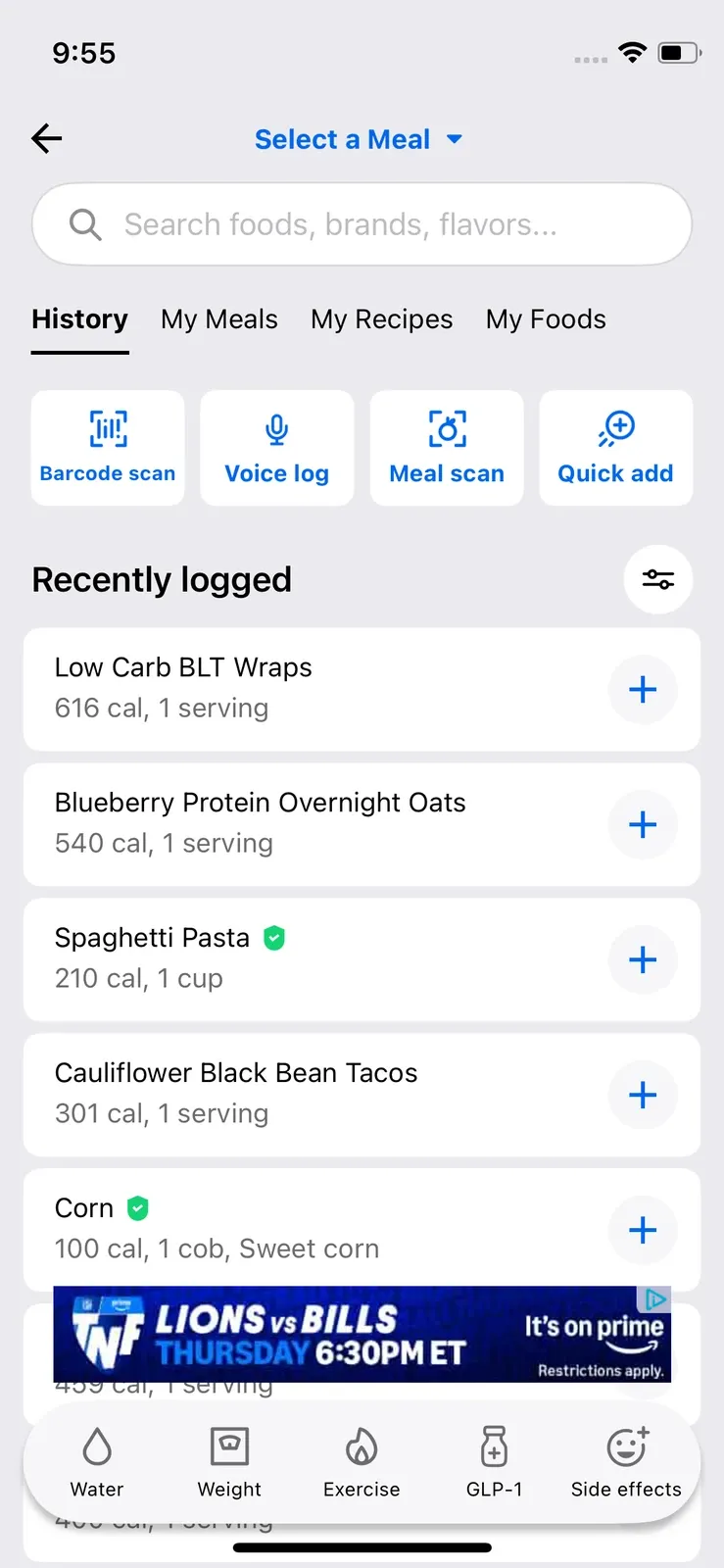
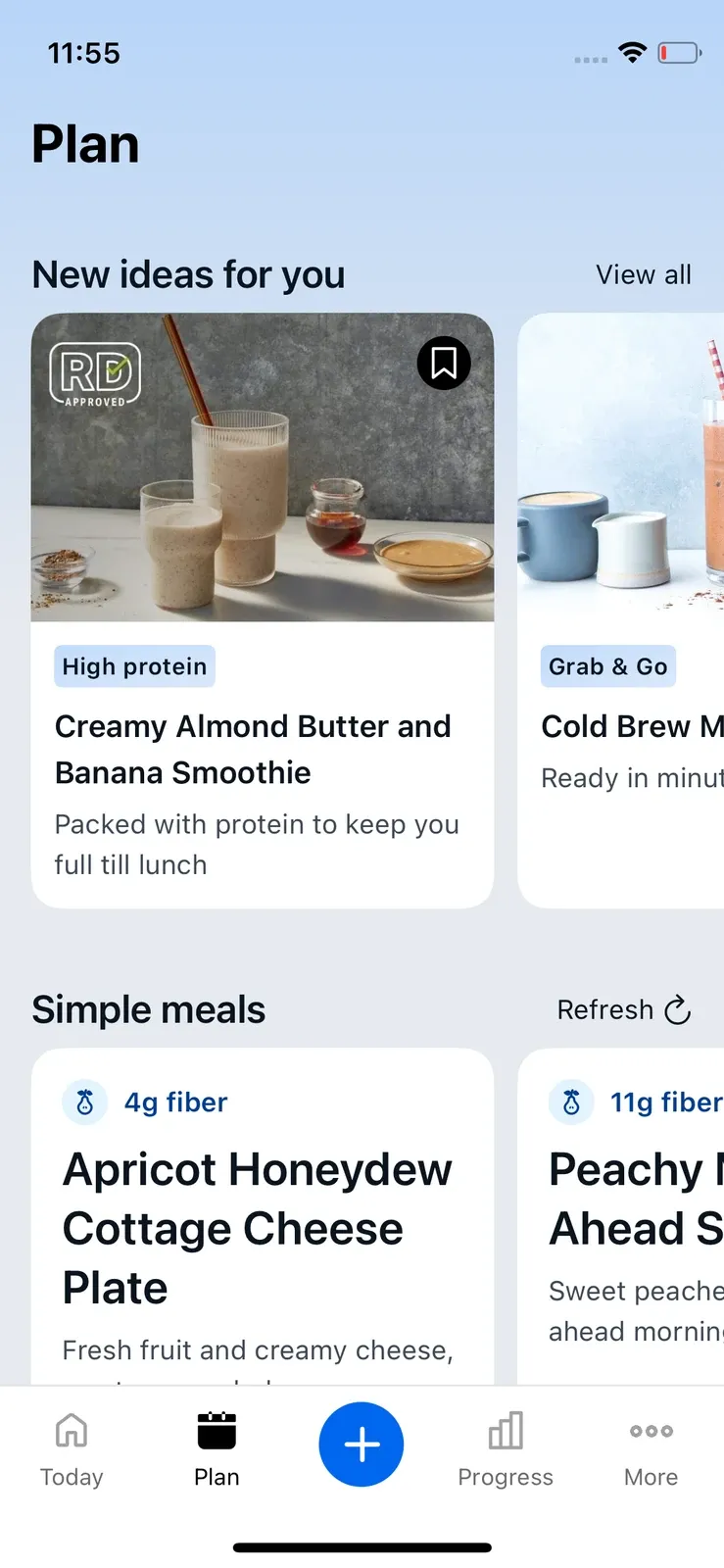
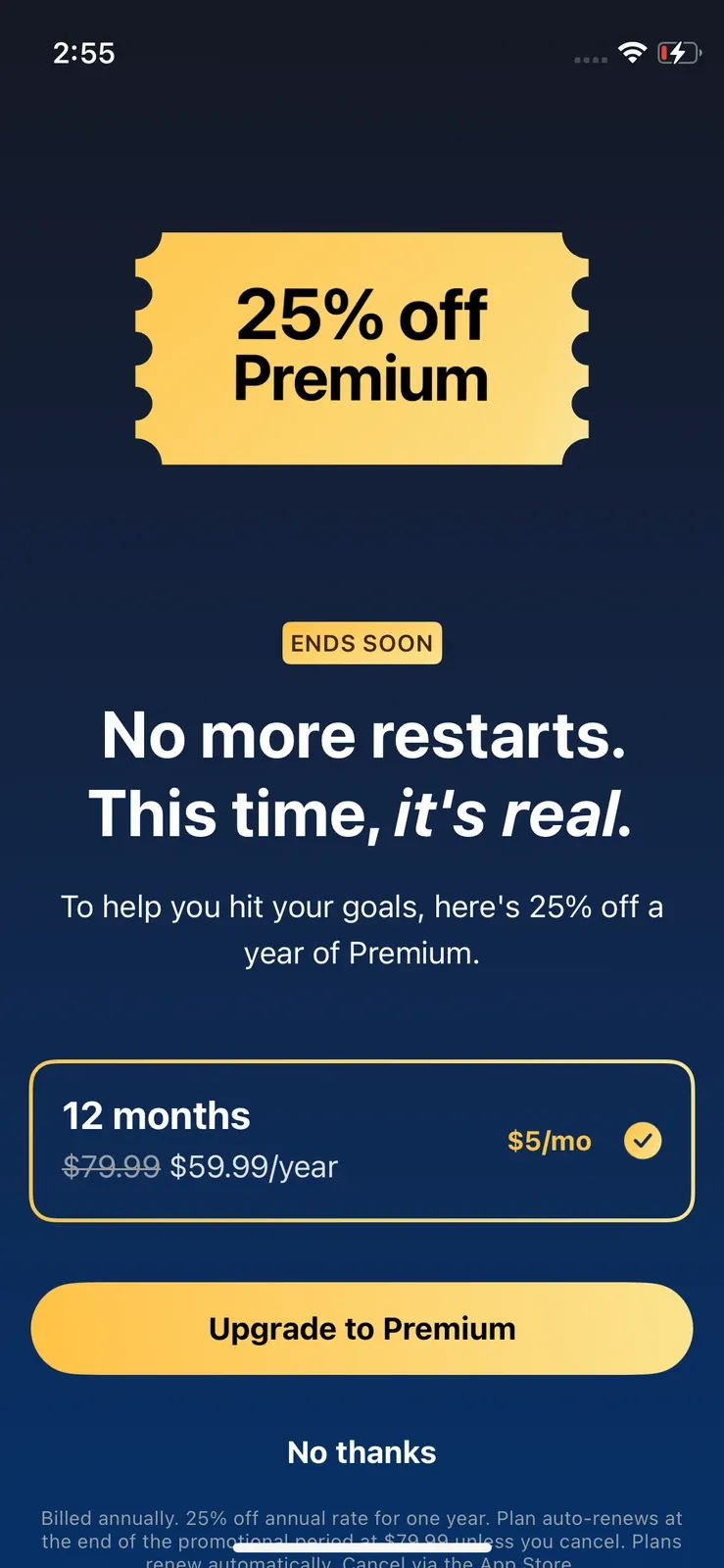
Best for: People who want a comprehensive food tracker with a broad database, recipes, exercise tools, health integrations, and optional meal planning.
Less suitable for: Anyone whose top priority is getting the most functionality possible from a free plan.
For a closer look at its features, subscription costs, and free vs. Premium differences, read our full MyFitnessPal review.
2. MyNetDiary - Best Free Food Tracking App
MyNetDiary gave us the strongest overall free nutrition-tracking experience of the six apps. Manual food search, barcode scanning, standard voice logging, calorie and macro tracking, water tracking, exercise tracking, and detailed nutrient information were available without upgrading in our test.
The nutrient depth is a major strength: MyNetDiary can track up to 108 nutrients. Meal Scan is a Premium feature, but we were able to use it three times with a free account before being asked to upgrade.
The trade-off is complexity. There are many screens, settings, diet options, trackers, charts, and planning tools, so it can initially feel more overwhelming than a minimalist app. Premium adds tools such as meal planning, premium diets and recipes, while Premium Plus adds AI-focused features. Apple Health and Health Connect are supported in the free tier; direct Fitbit, Garmin, and Withings syncing requires Premium.
We also received a one-time 50% Premium offer that reduced the annual price to $29.99 after we declined the initial offer.
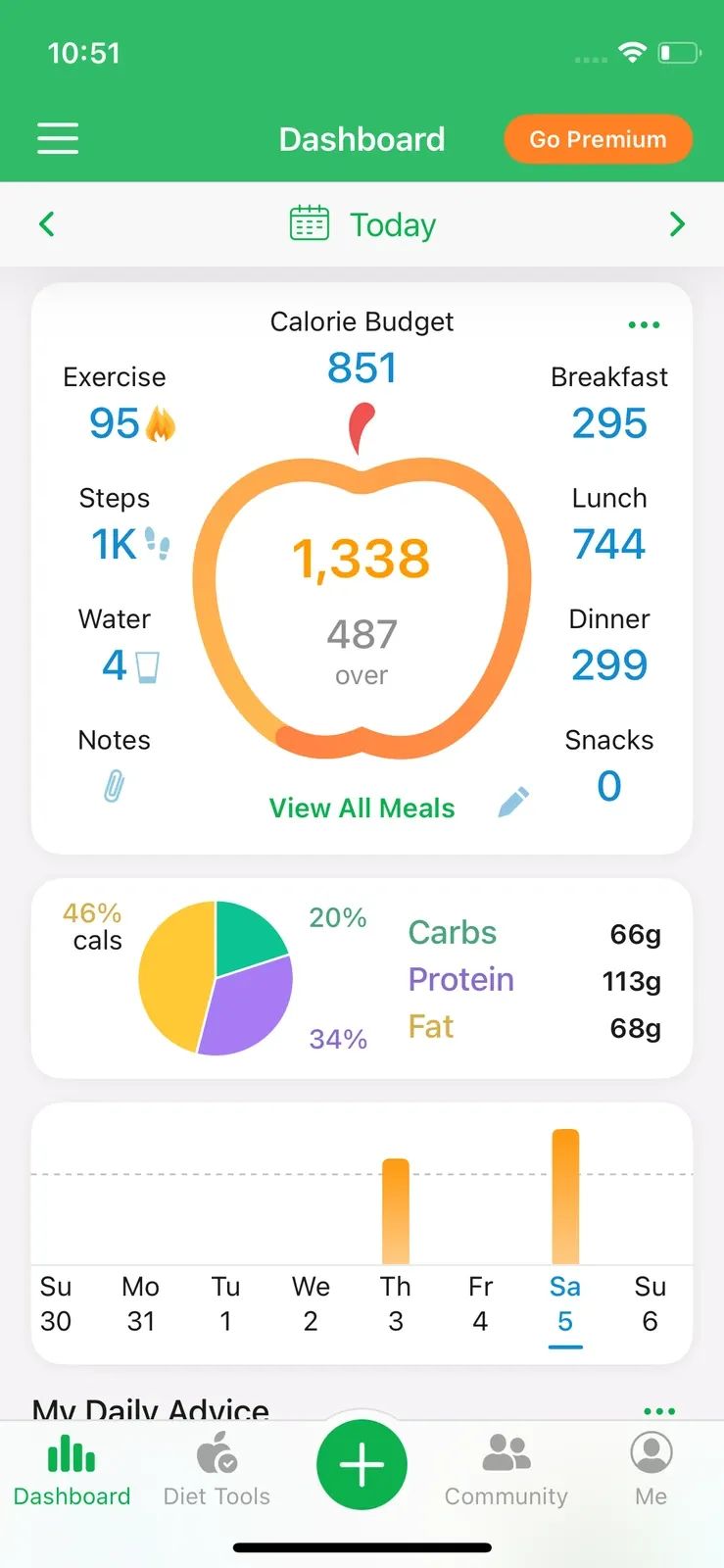
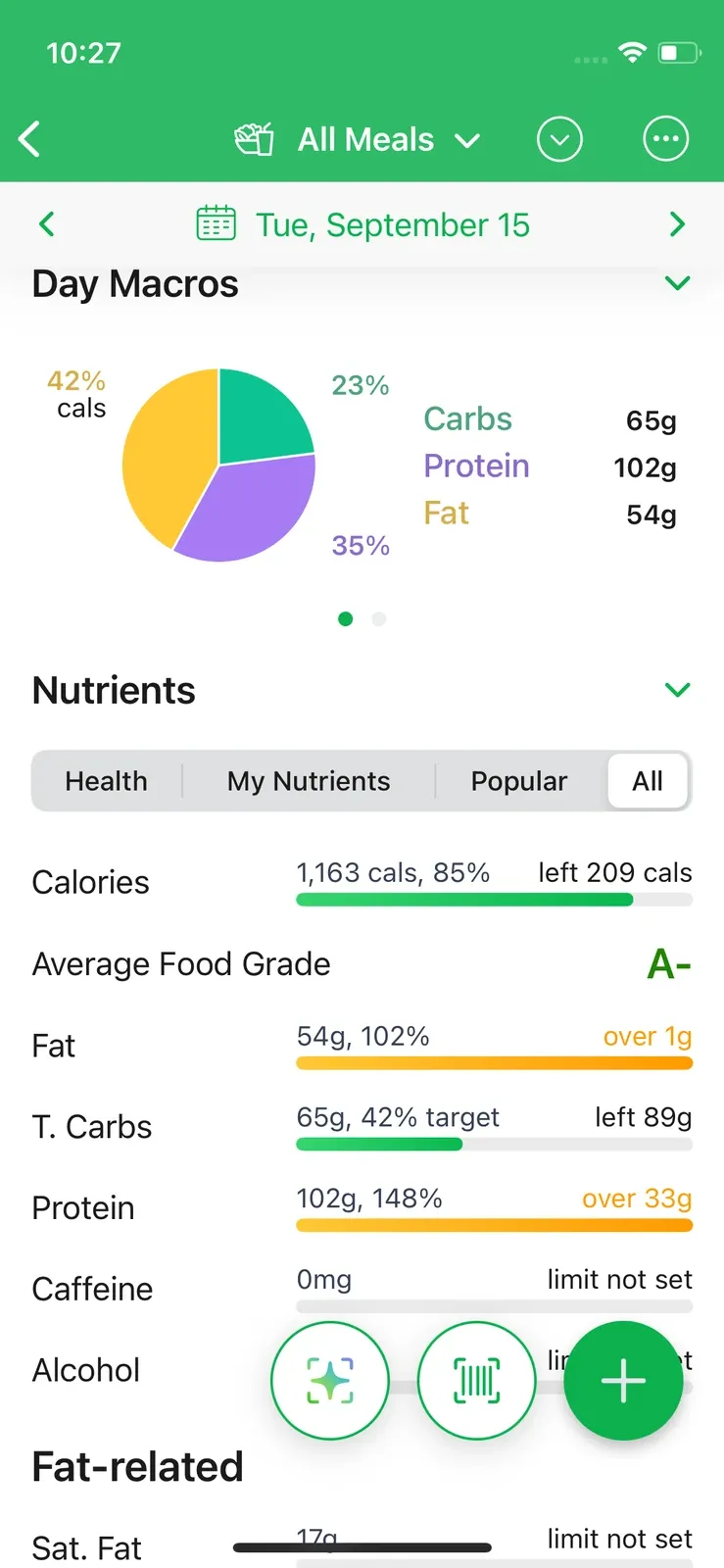
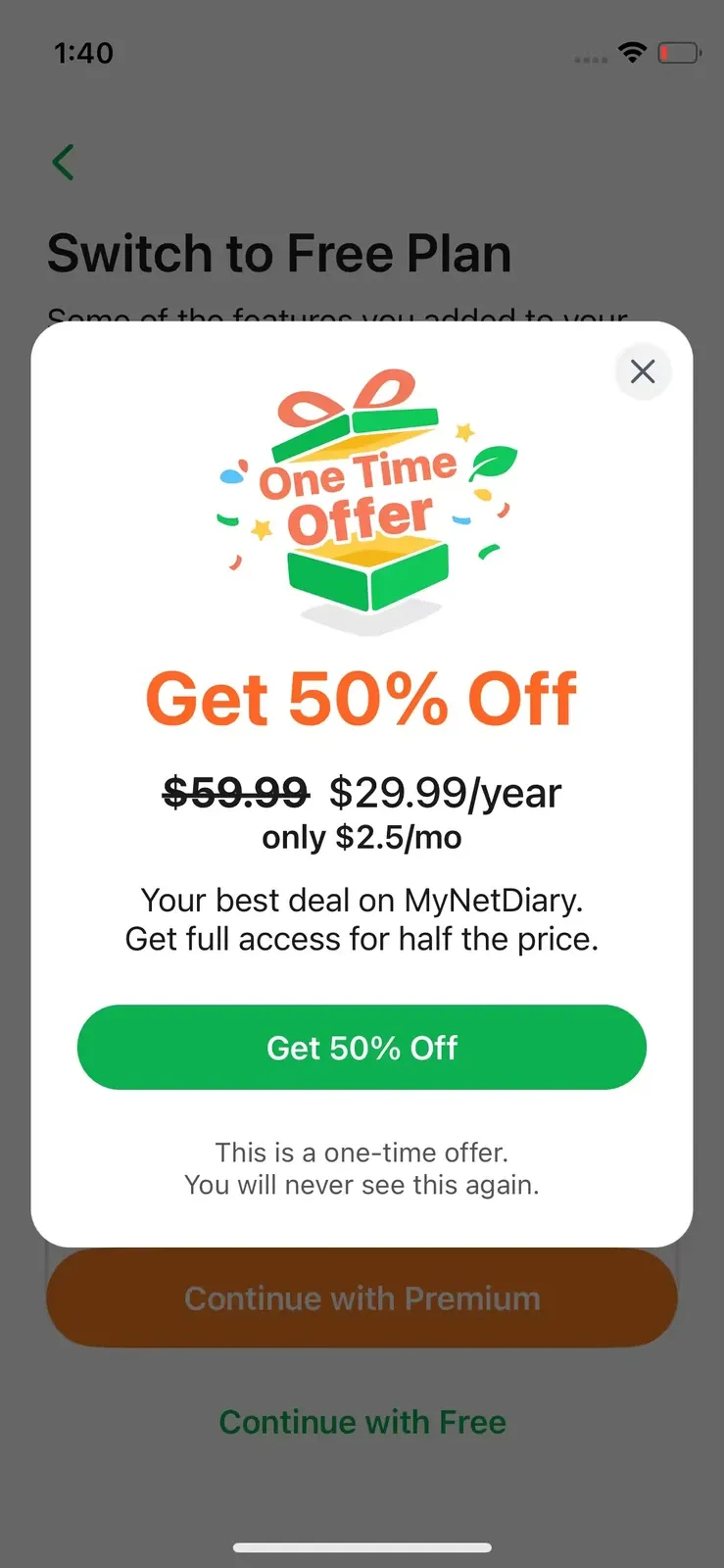
Best for: People who want detailed calorie, macro, and micronutrient tracking without immediately paying for a subscription.
Less suitable for: Someone who wants an extremely simple interface with only a few numbers and logging options.
See our MyNetDiary review for a detailed breakdown of its free features, Premium plans, and the discounts we found during testing.
3. FatSecret - Best for Community
FatSecret feels more traditional than most of the newer food trackers we tested. Its diary is organized around breakfast, lunch, dinner, and snacks, with a dense table-like layout that puts the numbers front and center.
More importantly, FatSecret gives free users a useful set of tools. We could use manual food search, barcode scanning, macro tracking, reports, and community features without starting a trial. The more automated Smart Food Scan, Smart Assistant, water tracking, and Meal Planner require Premium.
Where FatSecret stands out is its community. We found posts, meal photos, profiles, follows, and progress updates. For people who find motivation in seeing other users progress or sharing their own, that social layer adds value beyond calorie logging.
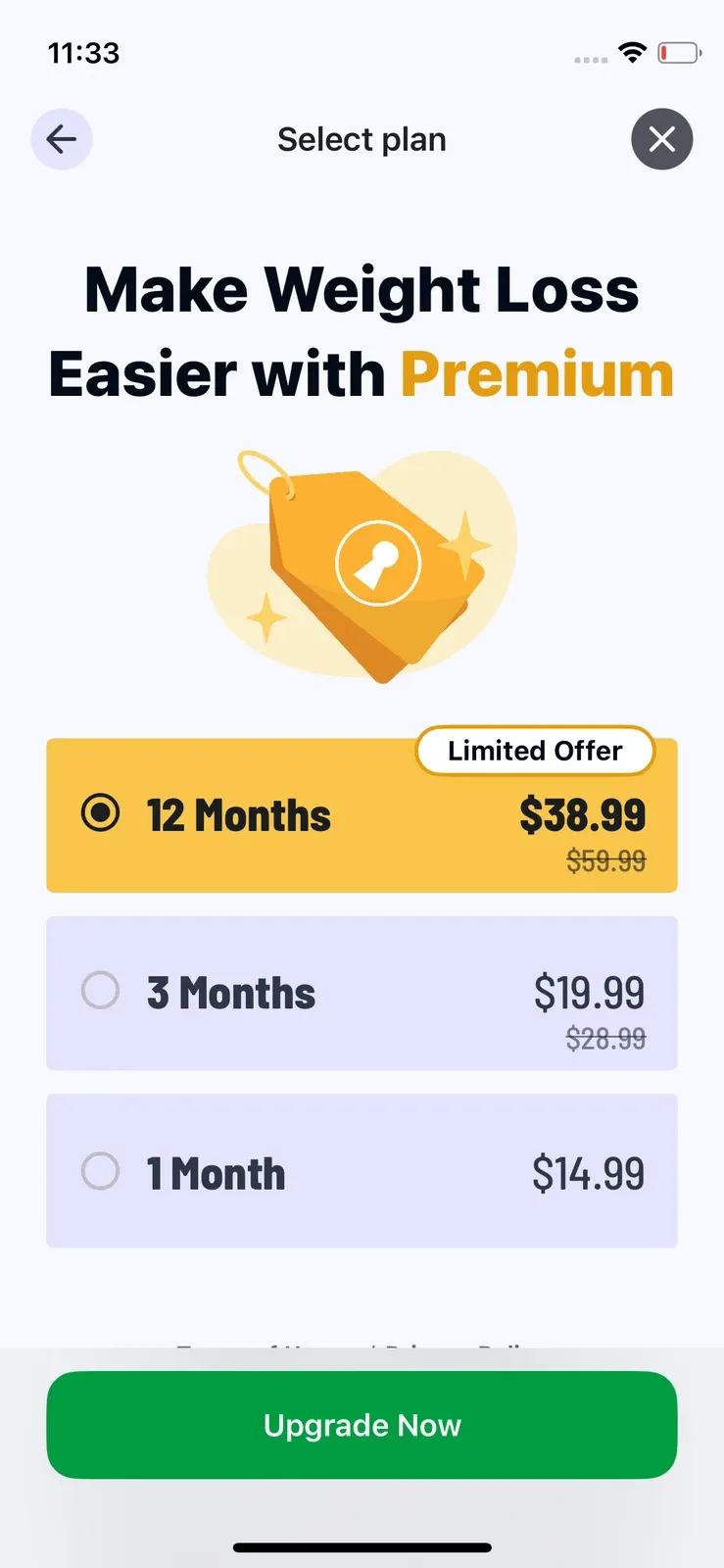
During testing, Premium was shown at $14.99 for one month, $19.99 for three months, and $38.99 for 12 months, with the annual option labeled as a Limited Offer.
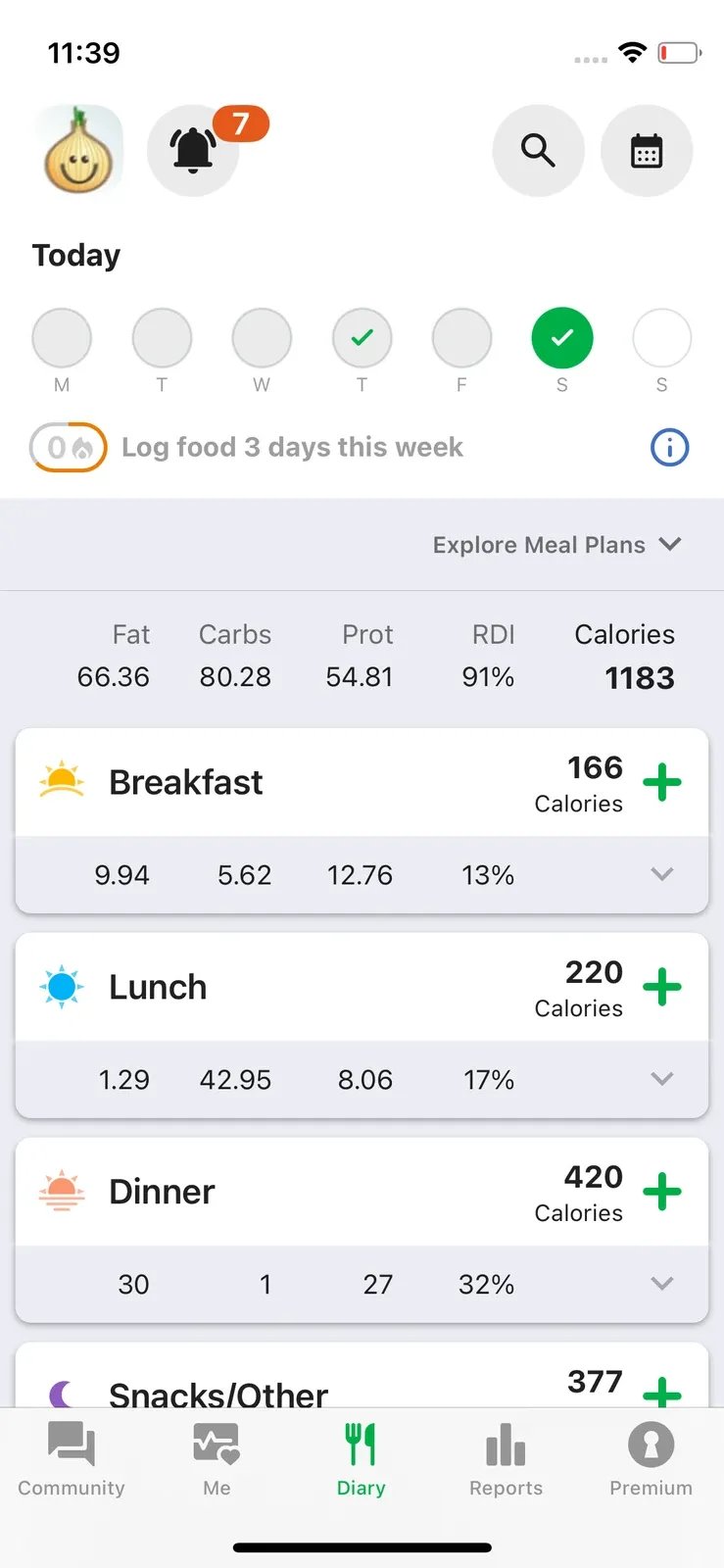
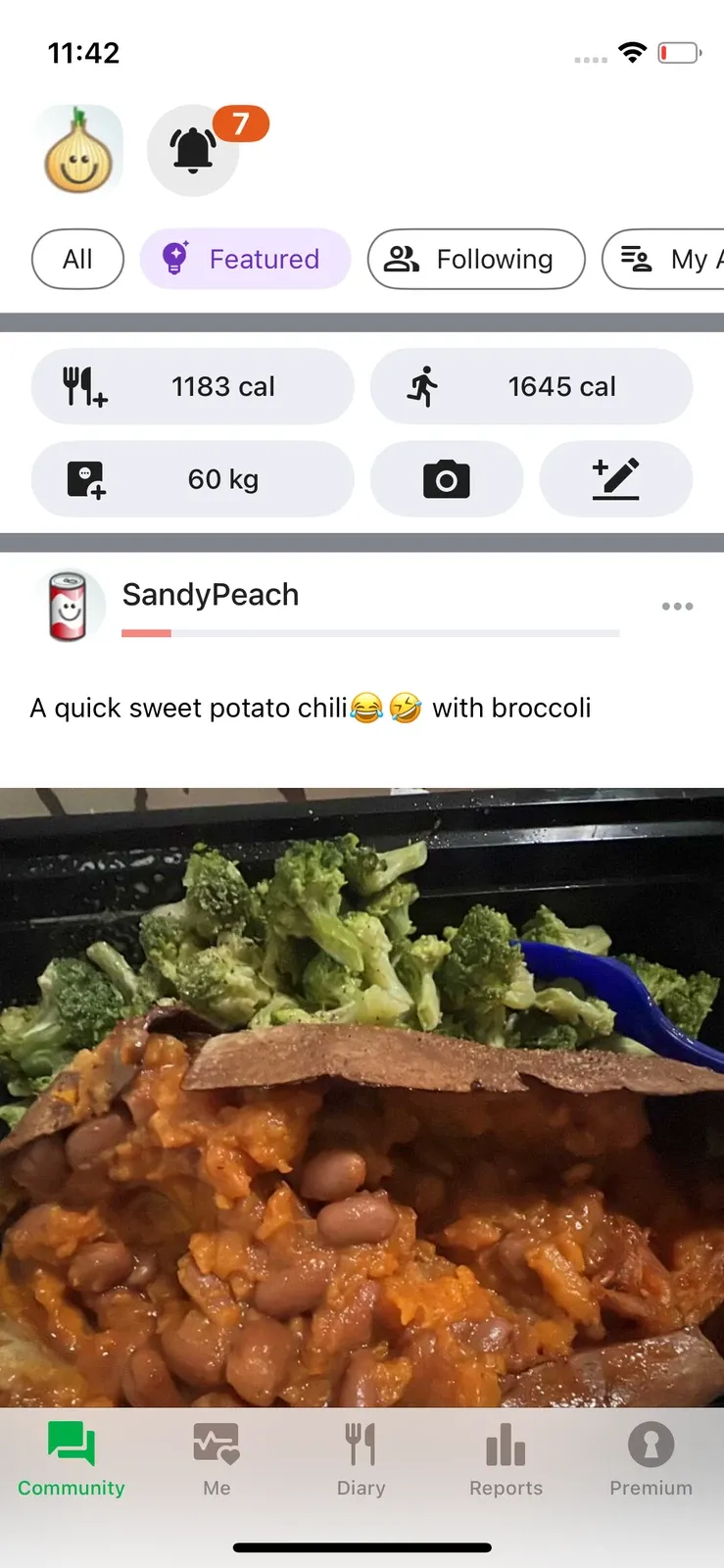
Best for: People who want useful free food tracking and like having a social community around their progress.
Less suitable for: Users looking for a highly visual, minimalist, or AI-first food tracker.
Read our FatSecret review to explore its free food-logging tools, community features, and Premium subscription options.
4. Foodvisor - Best for Gamified Food Tracking
Foodvisor is the most program-like food tracker in this comparison. We went through roughly 47 onboarding questions, making it the longest onboarding process among the apps we tested.
The free version gave us manual food search, barcode scanning, calorie and macro tracking, and a 16:8 intermittent-fasting plan. Meal and food ratings, other fasting schedules, photo meal analysis, Quick Add, and much of the deeper nutrition information required Premium.
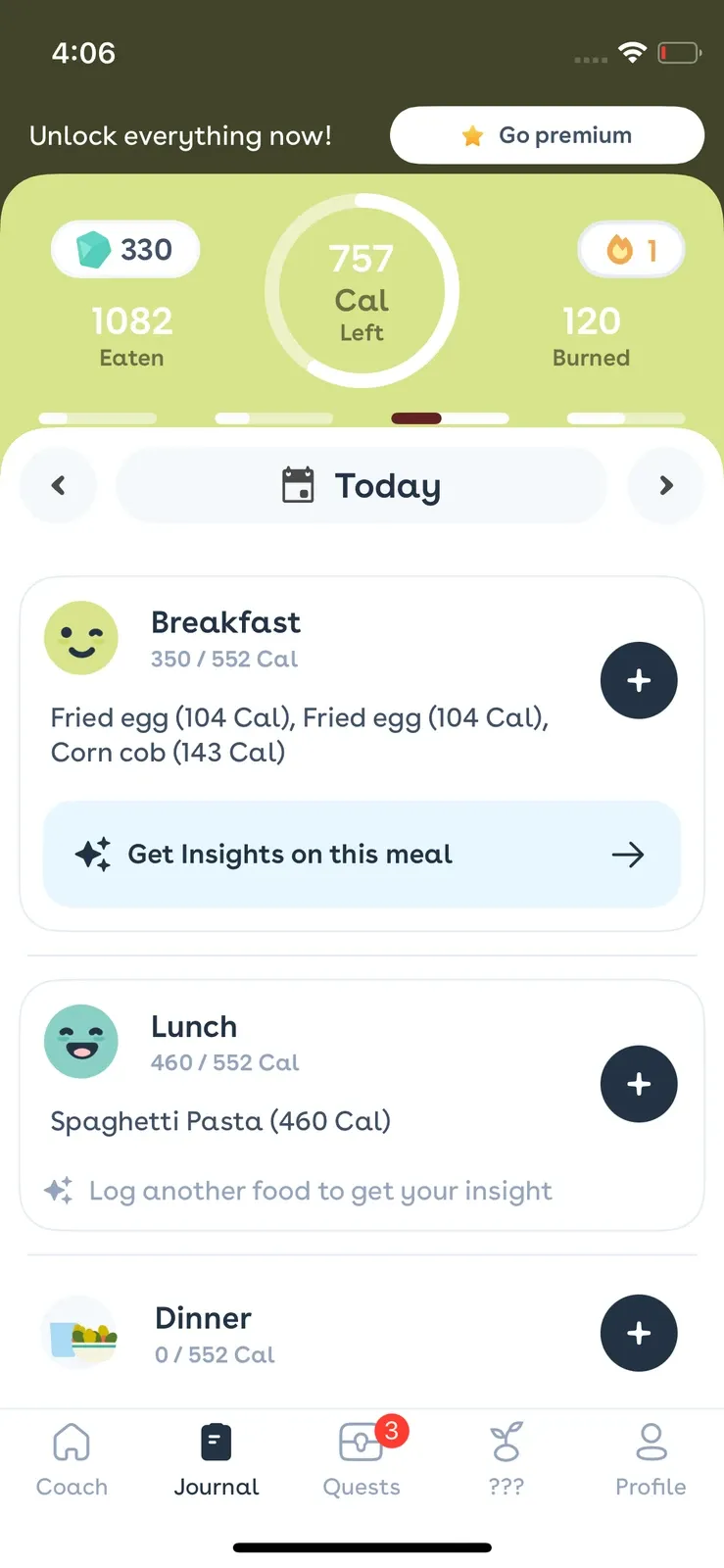
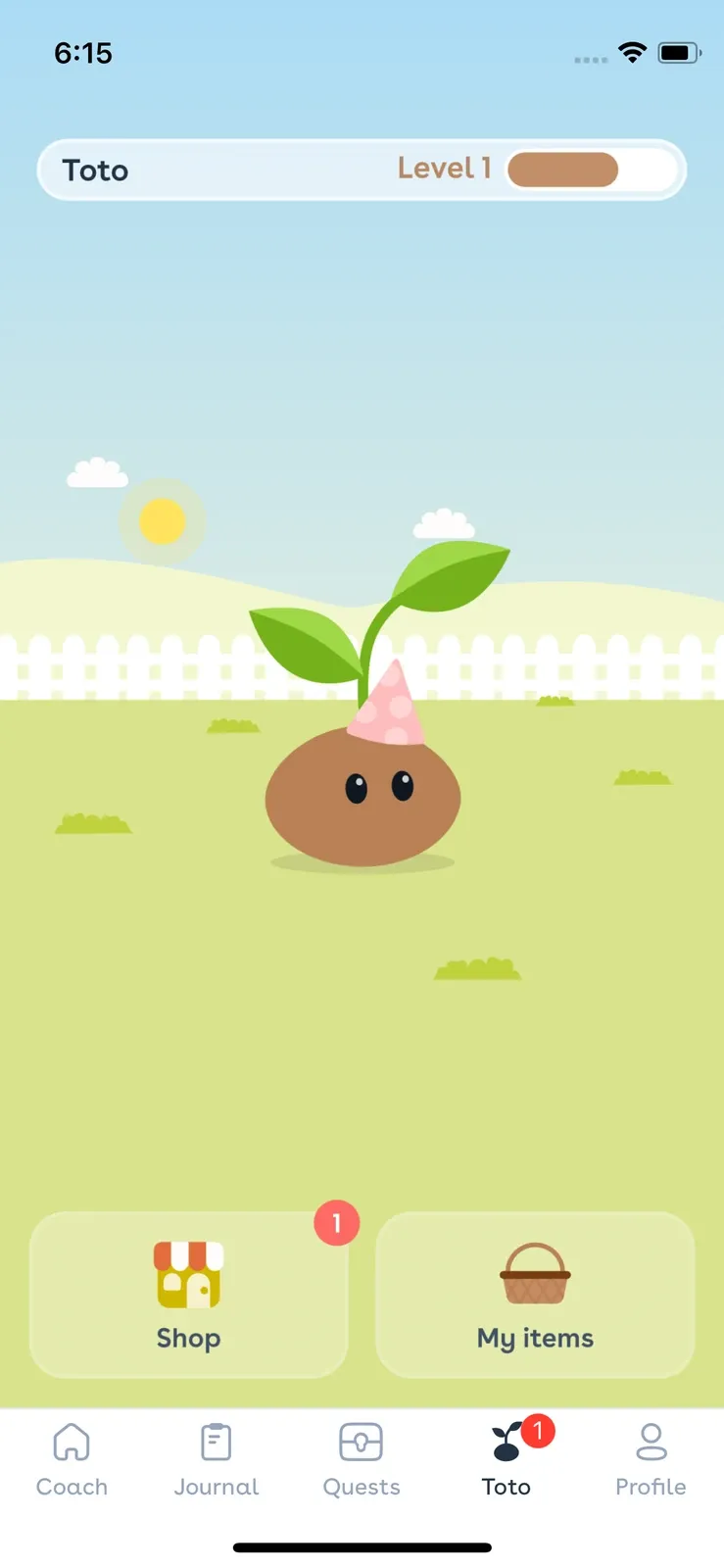
What makes Foodvisor different is its gamification. The app introduces a virtual seed that you can name and grow, while logging and completing tasks can earn rewards. We found that this made routine tracking feel less repetitive. The downside was frequent full-screen advertising and upgrade prompts in the free version.
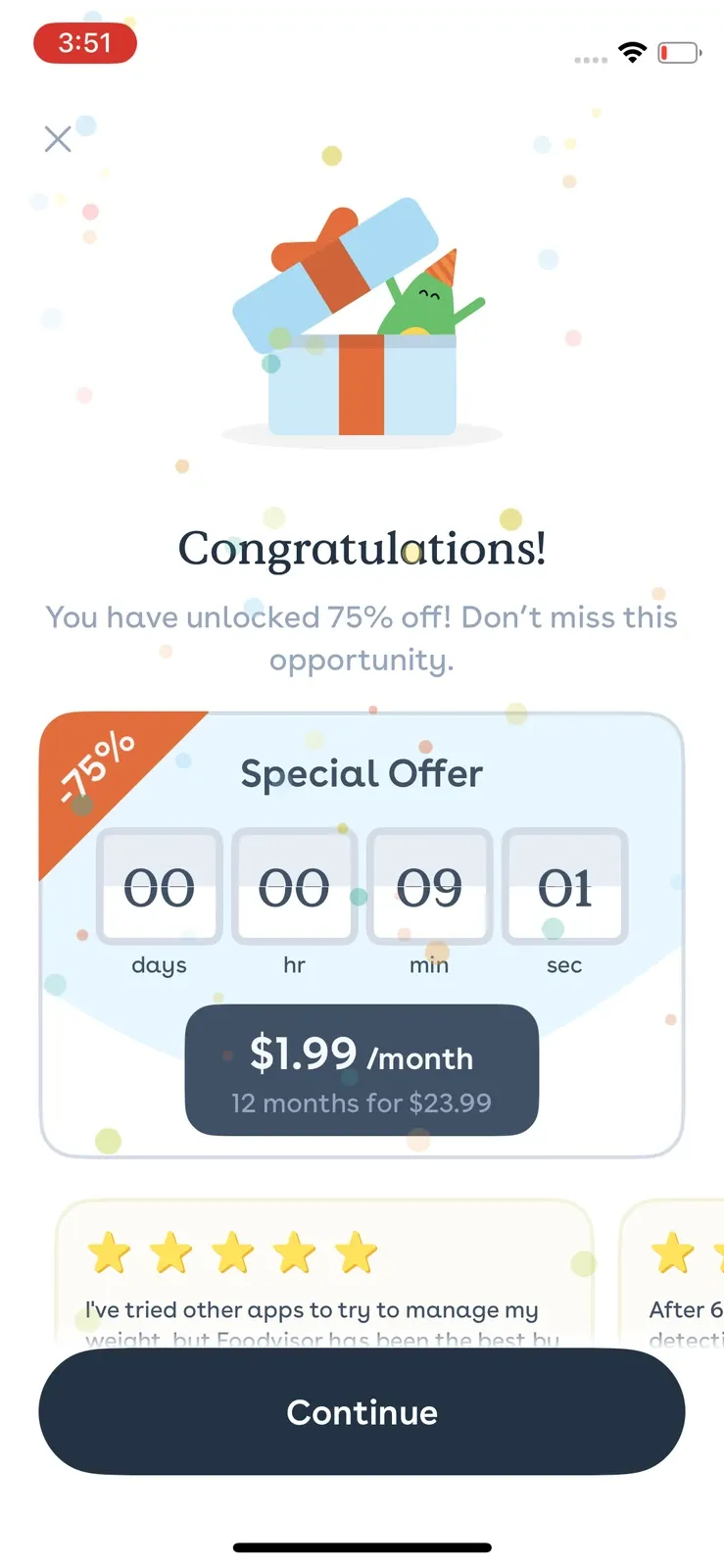
Foodvisor initially showed us Premium at $83.99 per year. After we closed the paywall, it invited us to spin a promotional wheel and we received an offer of $23.99 for 12 months. We were not offered a free trial during our test.
Best for: People who want a guided, gamified approach to food tracking and weight-management habits.
Less suitable for: Users who dislike long onboarding, frequent ads, or paid restrictions around photo logging.
For more on its gamification features, subscription pricing, and promotional offers, see our Foodvisor review.
5. Cal AI - Best for Fast AI Food Logging
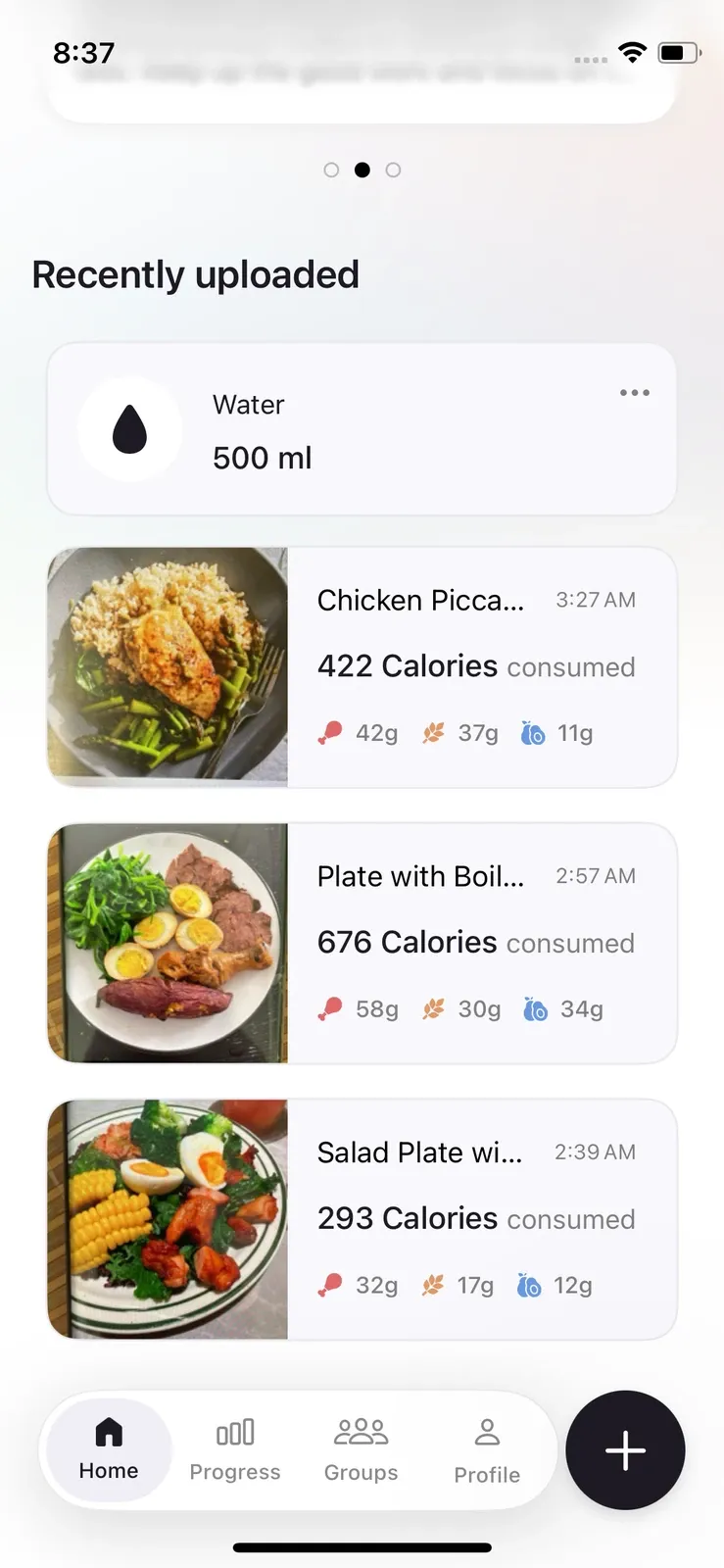
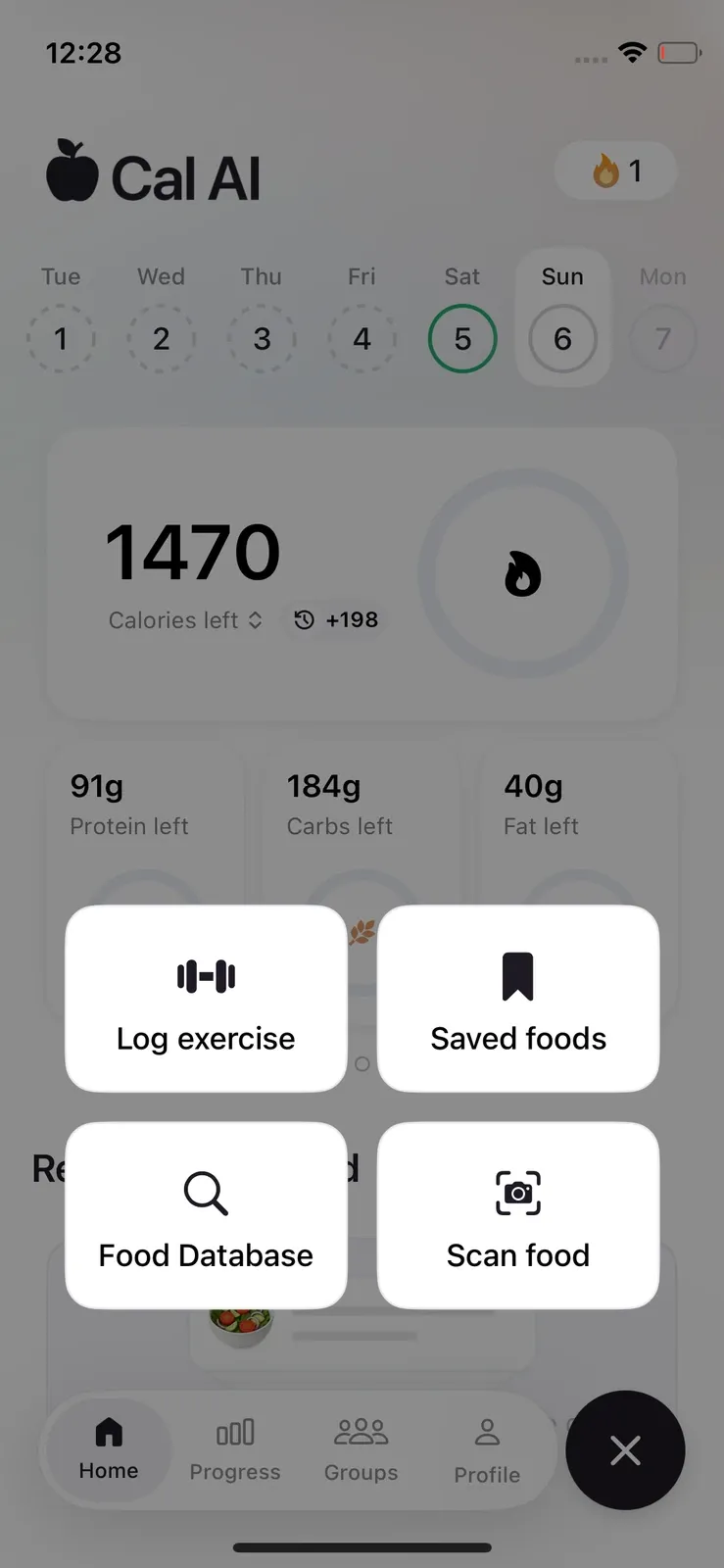
Cal AI takes almost the opposite approach from traditional trackers. Foods appear chronologically beneath daily calorie progress rather than being divided into breakfast, lunch, dinner, and snacks, and the main Log button brings the logging options together in one place.
AI photo scanning is central to the experience: photograph a meal, review the estimate, and log it. That simplicity is Cal AI’s biggest strength, but nutrition detail is relatively limited. Beyond calories and macros, the additional information we saw focused mainly on fiber, sugar, and sodium.
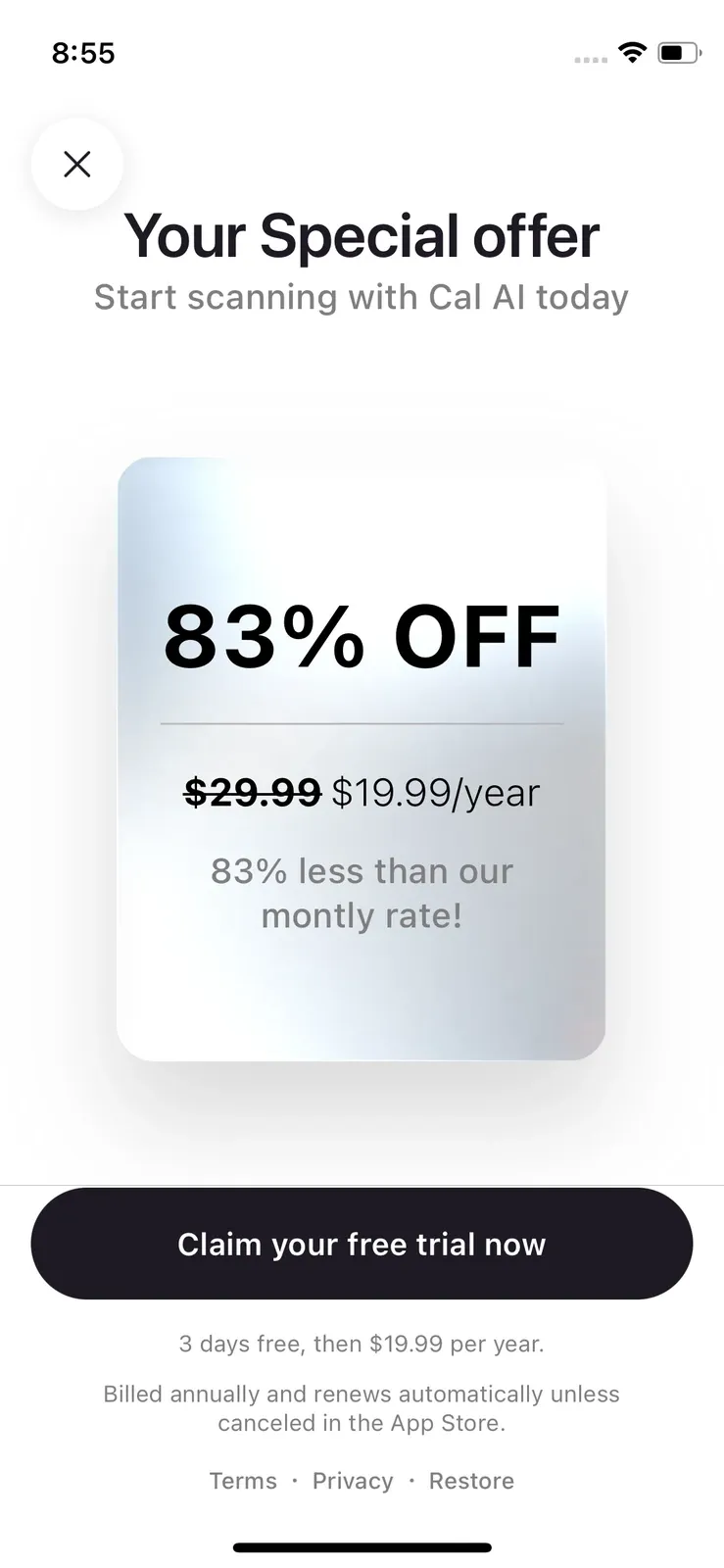
The free experience was the most restrictive we encountered. Cal AI pushed us toward a 3-day trial at the end of onboarding. After the trial ended, we technically became free users, but pressing the main Log button repeatedly brought us back to the paywall, making ongoing free food tracking barely usable in our test.
We initially saw an annual plan for $29.99. Declining it triggered a “gift” and a $19.99-per-year offer. After our trial ended, the paywall we encountered showed only annual billing; closing it still produced the $19.99 offer.
Best for: People who value speed, simplicity, and AI-assisted food logging more than detailed nutrition analysis.
Less suitable for: Anyone looking for a strong long-term free food tracker.
Our Cal AI review takes a closer look at AI food scanning, subscription costs, and what happened after the free trial ended.
6. Shelog - Best Food Tracking App for Women
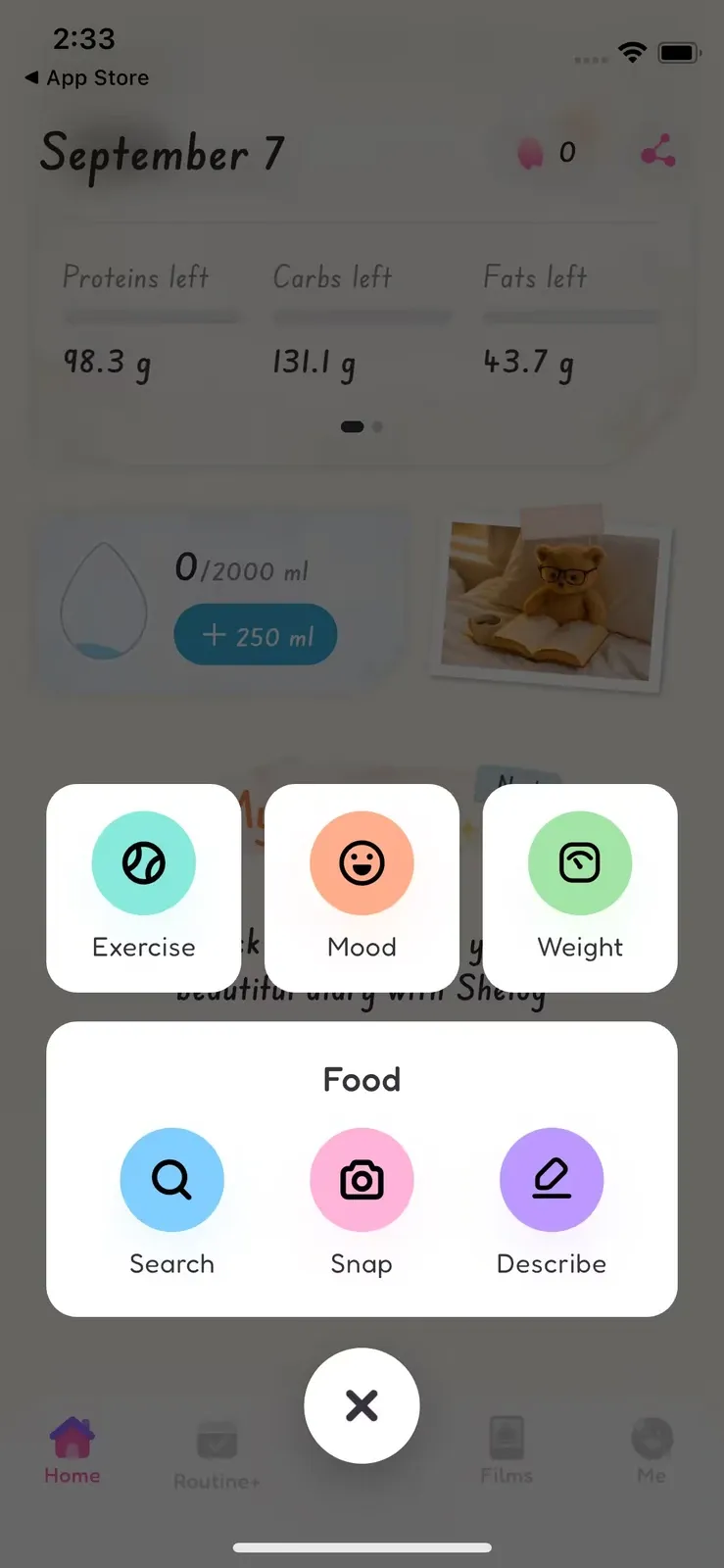
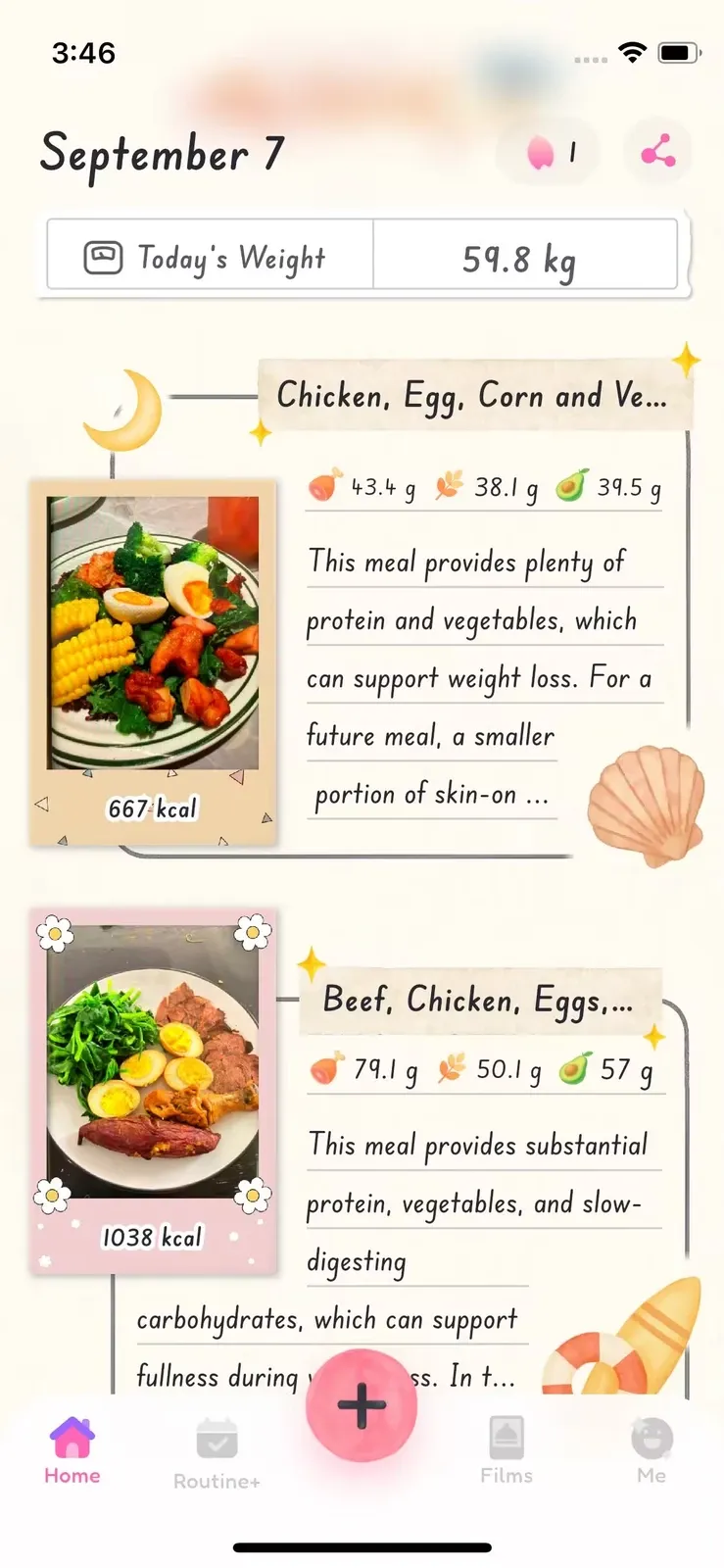
Shelog combines straightforward calorie tracking with a visual food diary and tools designed to support everyday wellness. Getting started was easy during our testing: we could use the app without creating an account. Its central Log button brings together food search, AI-powered meal logging, exercise, mood, and weight tracking. With Snap, users can photograph meals to estimate calories and macros, then review and adjust ingredients as needed.
What stood out most was Shelog's visual food diary. Meal photos become part of My Journal, making it easy to look back on eating habits without scrolling through rows of numbers. The Films feature adds creative photo effects, while daily rewards bring a playful element to the experience.
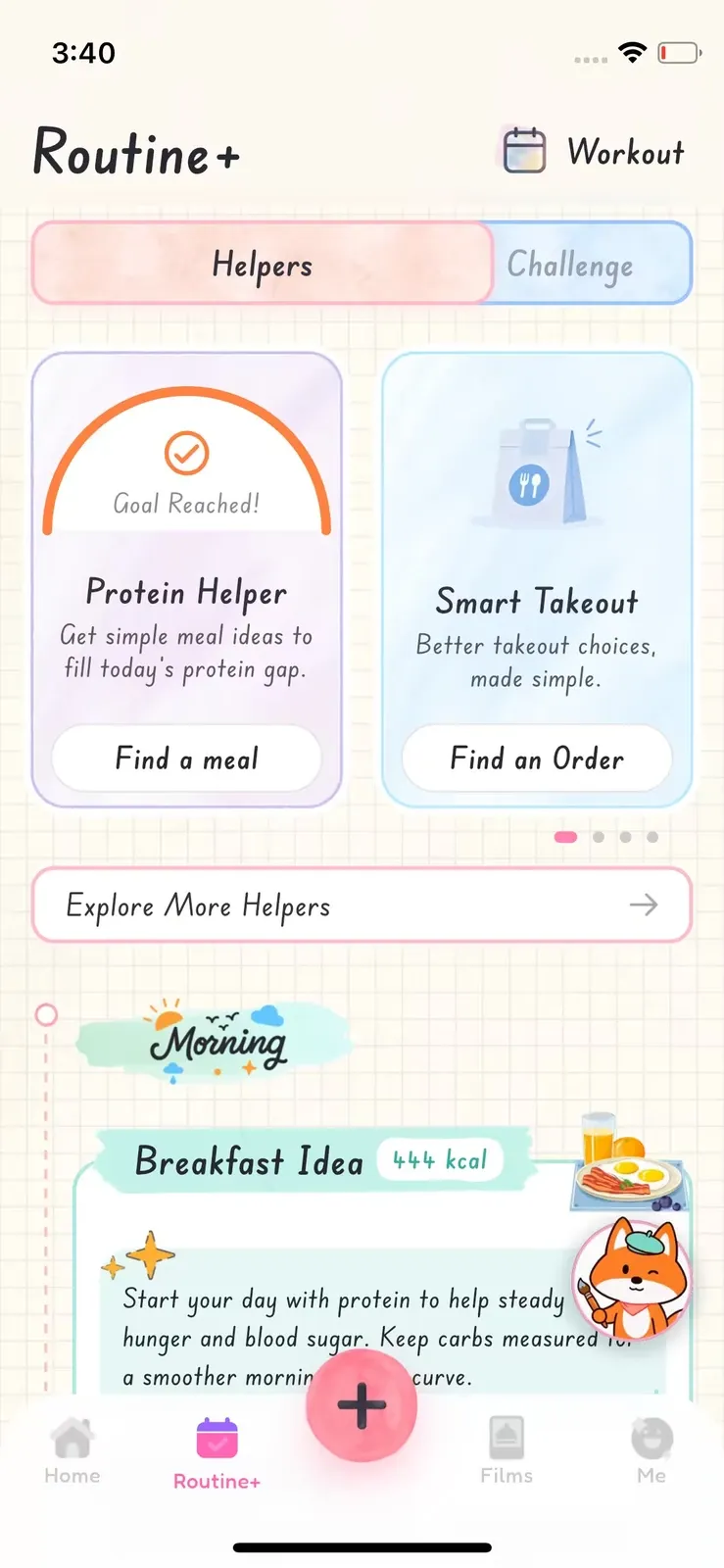
Beyond food logging, Routine+ offers Challenges and practical Helpers for everyday situations. Features such as Hunger Check, Craving Reset, Protein Helper, and Smart Takeout provide guidance for navigating cravings, food choices, and daily routines.
Shelog also brings a women-focused perspective to nutrition tracking through its Apple Health integration. The app can use menstrual cycle data to help personalize meal plans and calorie targets based on different cycle phases, extending its focus beyond calorie counting to women's everyday wellness.
Best for: People who want an easy, visually engaging food tracker that combines calorie and macro tracking with everyday wellness support.
Less suitable for: Users who need highly detailed micronutrient analysis or advanced nutrition reporting.
Explore our Shelog review for a closer look at Snap, My Journal, Routine+ wellness tools, and subscription options.
Which Food Tracking App Should You Choose?
There is no single type of food tracker that works best for everyone. The easiest way to narrow the list is to decide what matters most in your daily logging routine.
| If you're looking for... | Apps to consider |
|---|---|
| Comprehensive food tracking | MyFitnessPal |
| A strong free food tracker | MyNetDiary |
| Food tracking for weight loss | MyNetDiary / Foodvisor |
| Food tracking with pictures | Cal AI / Shelog |
| Macro tracking | MyNetDiary / MyFitnessPal |
| Community | FatSecret |
| Gamification and guidance | Foodvisor |
| Fast AI food logging | Cal AI |
| A food tracker for women | Shelog |
Table 4. Food tracking apps to consider based on different priorities and logging styles.
Frequently Asked Questions
What is the best food tracking app?
There is no single food tracking app that is best for every user. In our testing, MyFitnessPal stood out for comprehensive tracking, MyNetDiary for free nutrition tools, FatSecret for community, Foodvisor for gamification, Cal AI for fast AI logging, and Shelog for a visual women-focused experience. The best fit depends on how you prefer to log food and which features you actually use.
What is the best food tracking app for weight loss?
A useful weight-loss tracker should be easy enough to use consistently and provide the level of guidance you need. MyNetDiary is a strong option for detailed tracking, while Foodvisor offers a more guided and gamified approach. MyFitnessPal may suit users who want food tracking combined with a larger fitness and nutrition ecosystem.
What are the best food tracking apps with AI?
Cal AI and Shelog are two options worth considering for AI-powered food tracking. Cal AI focuses on speed and simplicity, using AI photo scanning to estimate calories and macros from meal pictures. Shelog combines AI-powered photo logging through Snap with the ability to describe meals using AI, while its visual food journal, My Journal, helps users keep a photo-based record of their eating habits. Cal AI is better suited to users who want quick calorie estimates, while Shelog appeals to those who prefer AI-assisted logging alongside visual journaling and everyday wellness tools.
What is the best food tracking app for macros?
MyNetDiary and MyFitnessPal are two of the stronger choices we tested for macro tracking. MyNetDiary is particularly attractive if you want detailed nutrition information without paying, while MyFitnessPal combines macro tracking with a broader database and ecosystem.
How can I track my food for free?
Start with an app that keeps its core logging tools free. MyNetDiary and FatSecret provided two of the strongest free experiences in our testing. MyNetDiary included food search, barcode scanning, standard voice logging, calories, macros, and detailed nutrient tracking. FatSecret included manual logging, barcode scanning, macros, reports, and community features.
Are AI food scanners accurate?
AI food scanners are useful for making food logging faster, but we would treat calorie and nutrition results as estimates rather than exact measurements. A photo may not reveal portion weight, hidden ingredients, cooking oils, sauces, or everything inside a mixed dish. The most useful scanners let you review and correct the result before saving it.
This article is for general education and is not a substitute for personal medical or nutrition advice.
Take Shelog with you
Take Shelog with you
Shelog turns the ideas in this article into a simple daily diary—food, mood, movement, and weight in one calm place.